
Laptop displaying a financial dashboard UI with invoices, analytics, and alerts, set against an abstract textured background

Designing a self-serve Trade Financing Platform for exporters

Redesigning the user experience of
a Trade Financing Product

Redesigning the user experience of a
Trade Financing Product

UX Design

Interface Design

The ask at hand

The task at hand

Drip Capital partnered with Canvs to build the next version of its client platform. Trade financing sits at the intersection of logistics, documentation, and financial underwriting, much of which is still done in traditionally offline ways.

The ask was to turn this process into a fully self-serve digital experience for exporters, allowing them to generate invoices, track financing & respond to operational requirements directly on the platform.

Drip Capital partnered with Canvs to build the next version of its client platform. Trade financing sits at the intersection of logistics, documentation, and financial underwriting, much of which is still done in traditionally offline ways.

The ask was to turn this process into a fully self-serve digital experience for exporters, allowing them to generate invoices, track financing & respond to operational requirements directly on the platform.

Minimal app dock UI showing weather, music, and drop capital finance app icons on a soft glass-like surface.

ABOUT THE client

Drip Capital is a YC-backed trade financing company

Drip Capital provides advances to exporters against their trade receivables. Exporters can receive financing within 24 hours of shipping their goods, helping them access working capital while their payments are still in transit, instead of waiting weeks or months for buyer payouts.

Inside the Redesign

A complete user experience overhaul of the client portal

Opportunity

  • Drip Capital already had a functioning client portal for onboarding, invoice creation, and tracking. But the experience needed a significant overhaul.


  • To make the platform itself a compelling reason to choose Drip Capital as a trade partner by giving exporters a clearer and more dependable way to manage financing.

OBJECTIVES

  • The redesigned portal needed to simplify invoice creation while giving exporters clear visibility, alerts and guidance for each request as it moved through the financing process.


  • Had to be intuitive for users unfamiliar with digital tools, helping them respond to requirements quickly on their own, and be less reliant on customer support.

Laptop with a dark screen displaying ‘canvas’ text, placed on a stone pedestal against a black background.

Areas of focus

We started by identifying and reworking
crucial aspects of the portal

Rebuilding the Financial Module

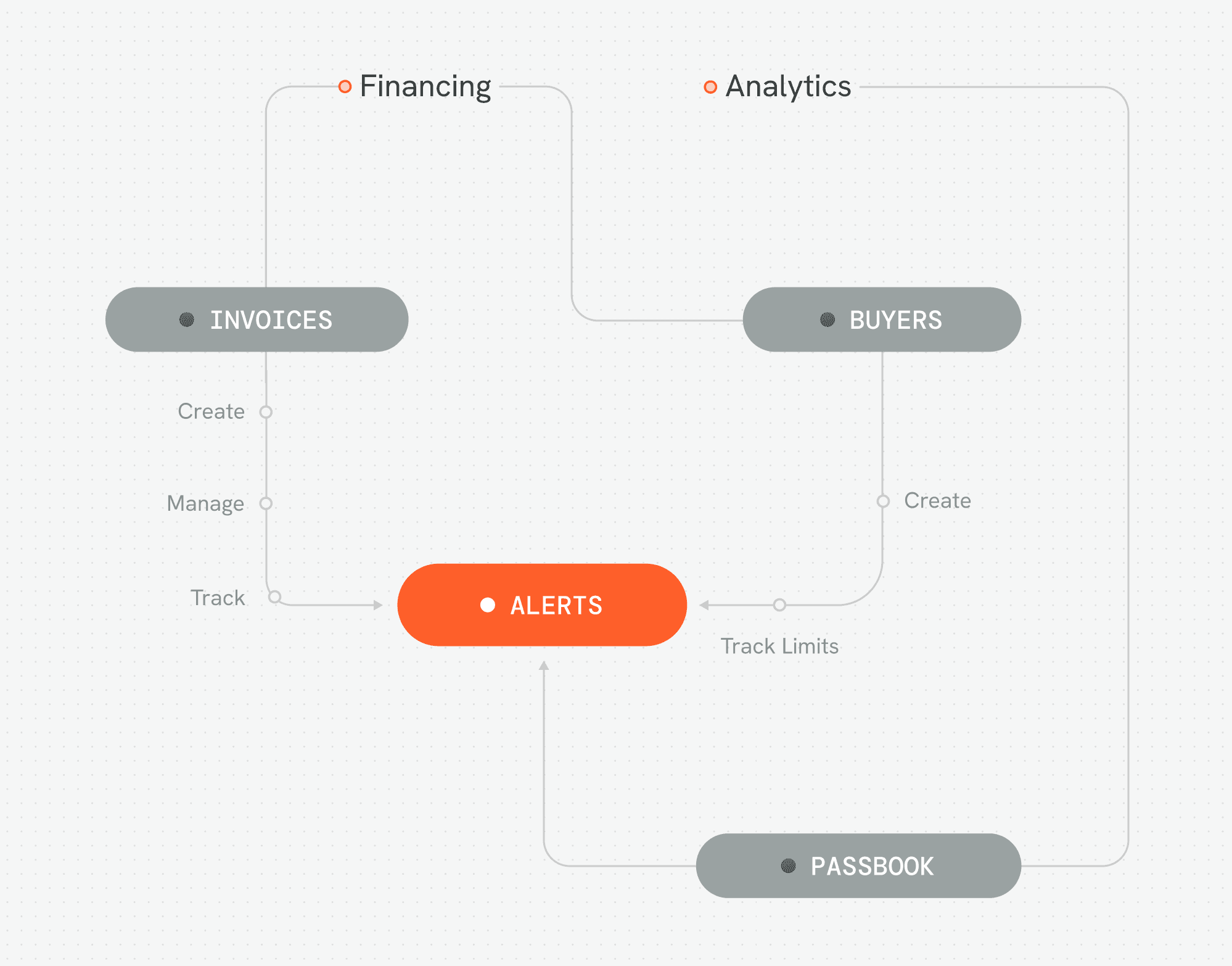
The existing portal had multiple parts like Financing, analytics, and user management, but most activity centred around the Financing module. We began by rebuilding its information architecture and the workflows around invoice creation, tracking, and alerts that helped surface gaps in invoice applications so exporters could quickly add missing information and keep the process moving. With that foundation in place, we expanded into the Analytics module to introduce the 'Passbook' feature.

Modernizing the Interface

As we worked through the product’s business logic, we also assembled Drip’s brand assets and built a reusable component library, establishing the platform’s UI standards early, and giving the portal a clearer, more modern interface.

Rebuilding the Financial Module

The existing portal had multiple parts like Financing, analytics, and user management, but most activity centred around the Financing module. We began by rebuilding its information architecture and the workflows around invoice creation, tracking, and alerts that helped surface gaps in invoice applications so exporters could quickly add missing information and keep the process moving. With that foundation in place, we expanded into the Analytics module to introduce the 'Passbook' feature.

Modernizing the Interface

As we worked through the product’s business logic, we also assembled Drip’s brand assets and built a reusable component library, establishing the platform’s UI standards early, and giving the portal a clearer, more modern interface.

the VISUAL DESIGN OF MODULES remains internal

Certain design decisions have been excluded from here, as they relate closely to Drip Capital’s proprietary workflows and were shaped through close collaboration with their team

Certain design decisions have been excluded from here, as they relate closely to Drip Capital’s proprietary workflows and were shaped through close collaboration with their team

Certain design decisions have been excluded from here, as they relate closely to Drip Capital’s proprietary workflows and were shaped through close collaboration with their team

Dark rough-textured rock floating against a subtle dotted background

How the financing process flows through Drip

Inside the Financing Module

Exporters raise invoices on the platform for individual shipments against specific buyers. Each invoice represents a financing request to Drip. Once an invoice is submitted, Drip runs a series of checks and verifications around the shipment and the client before issuing the advance against it.

Invoices are the fundamental unit of communication between Drip and its clients
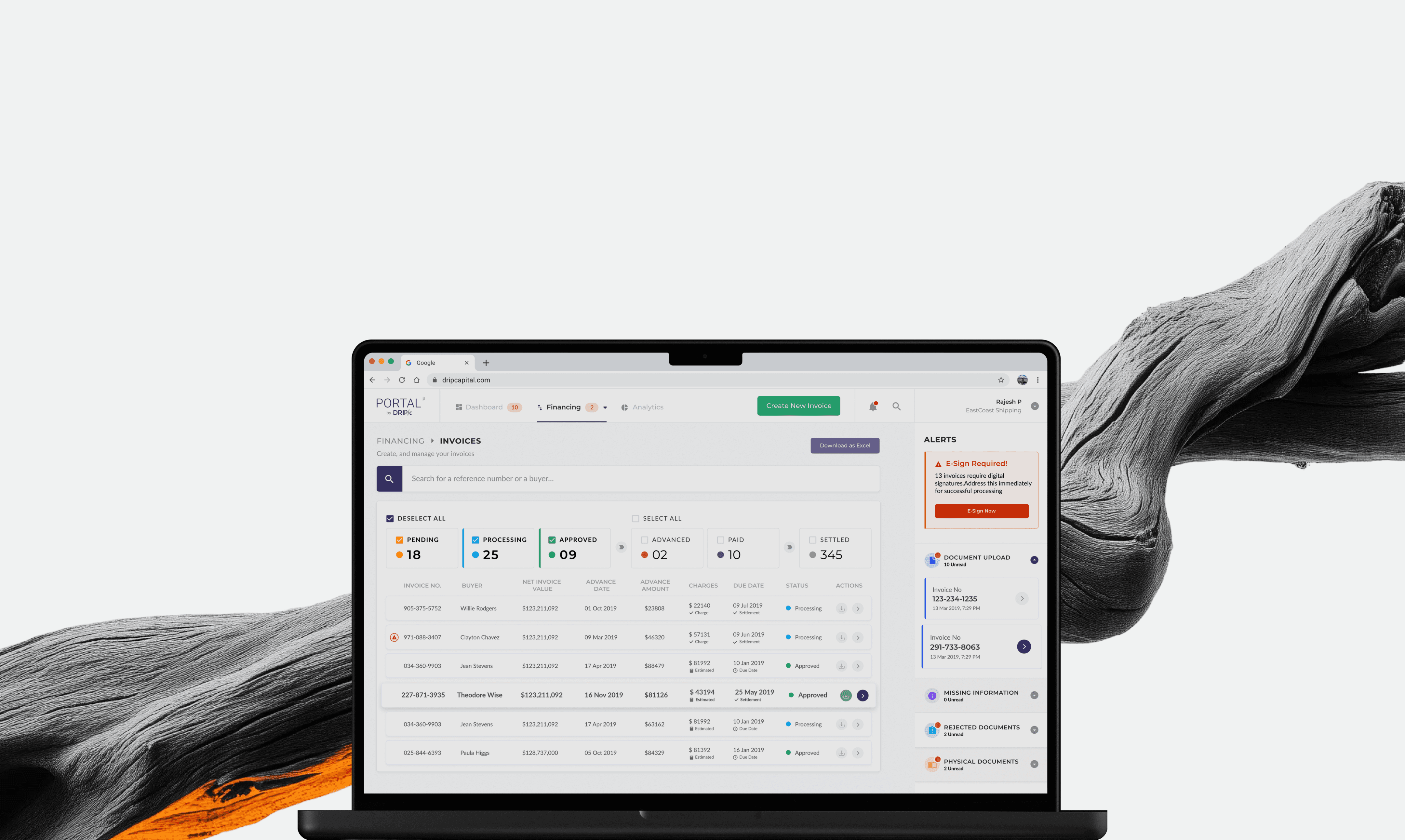
Landing page

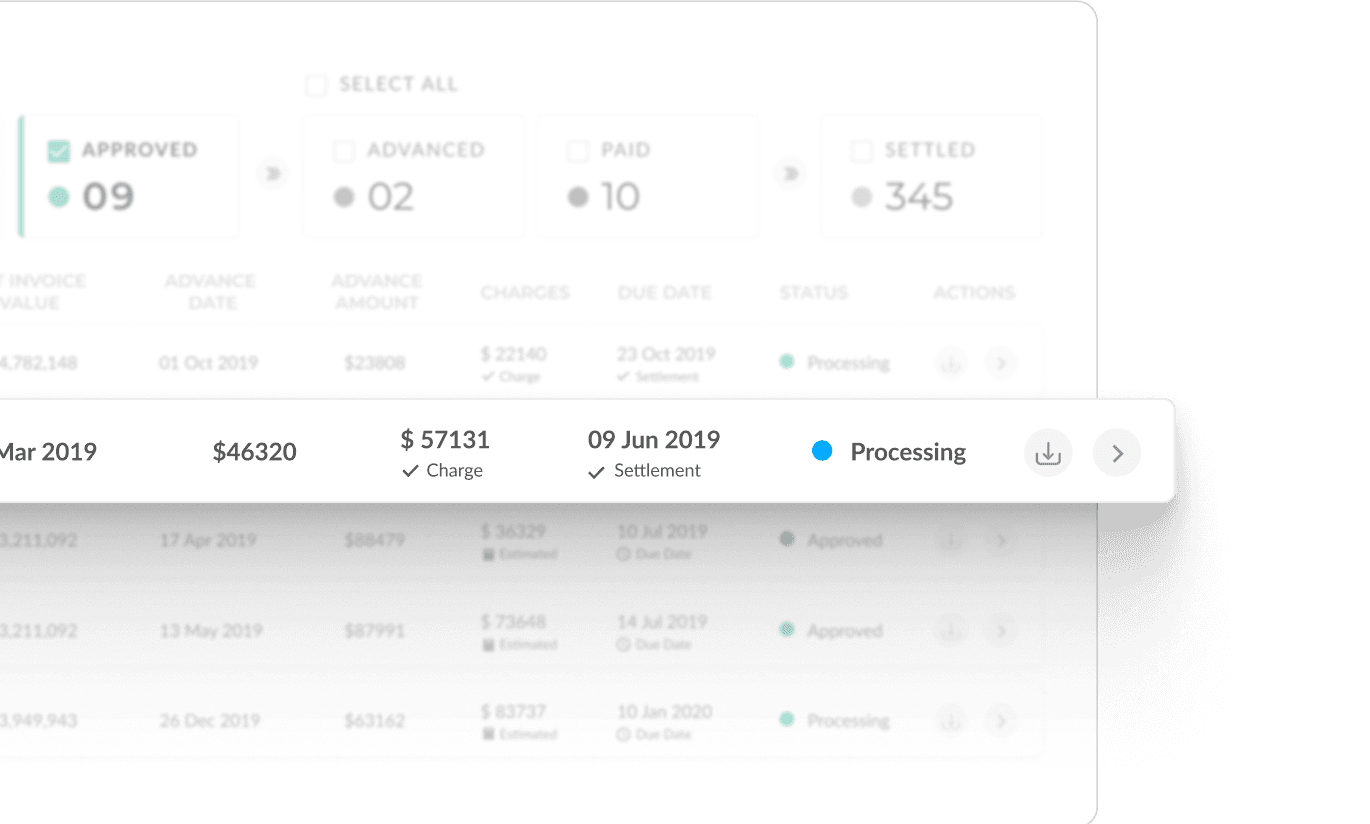
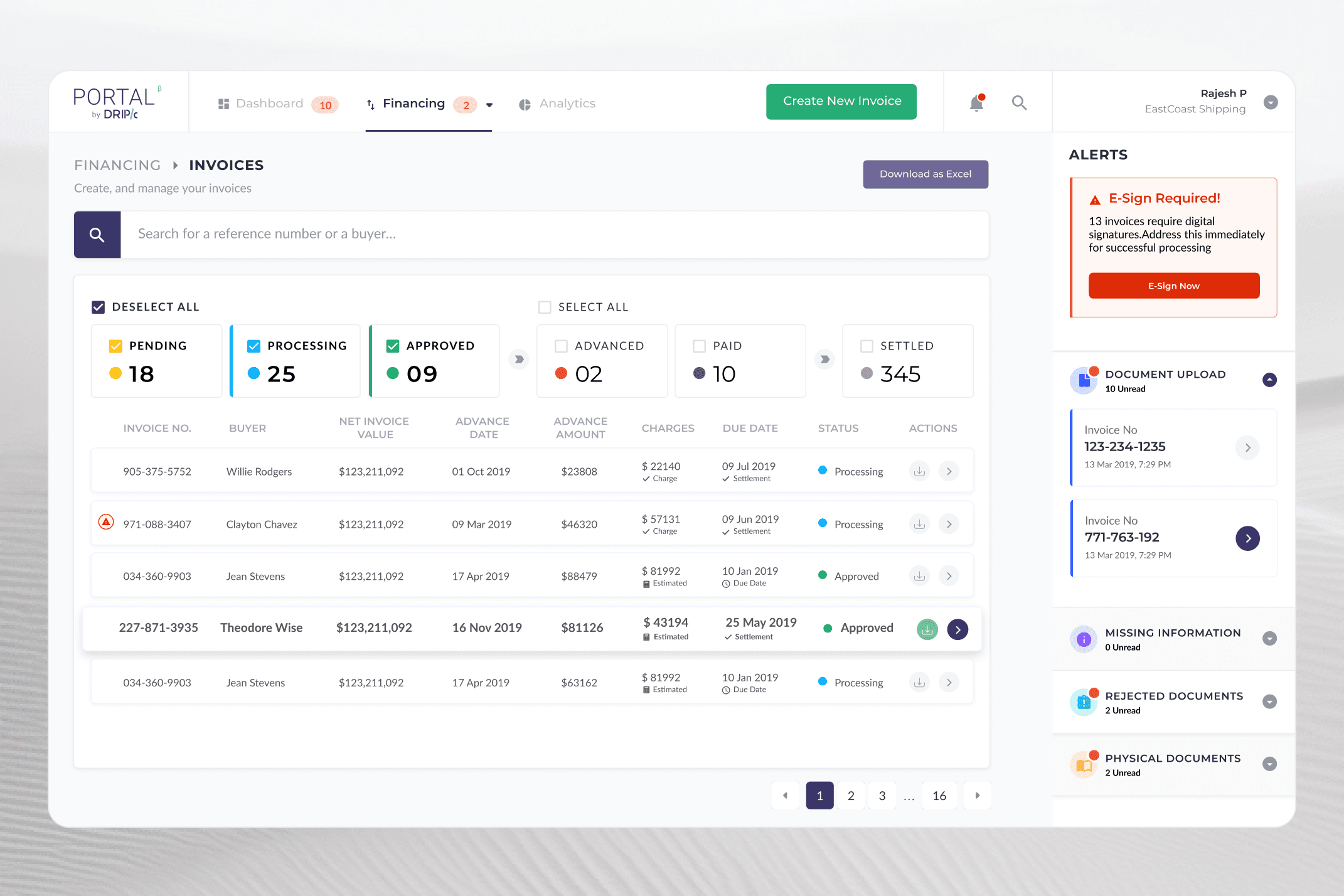
The most visited part of the product, and the face of the Financing module, its landing page shows the invoice list and status of each request. From here, exporters can quickly see all their invoices and where they stand in the financing process, effectively having a control centre.

Stage-based Filtering

Alerts

Invoice Details

Landing page

The most visited part of the product, and the face of the Financing module, its landing page shows the invoice list and status of each request. From here, exporters can quickly see all their invoices and where they stand in the financing process, effectively having a control centre.

Stage-based Filtering

Alerts

Invoice Details

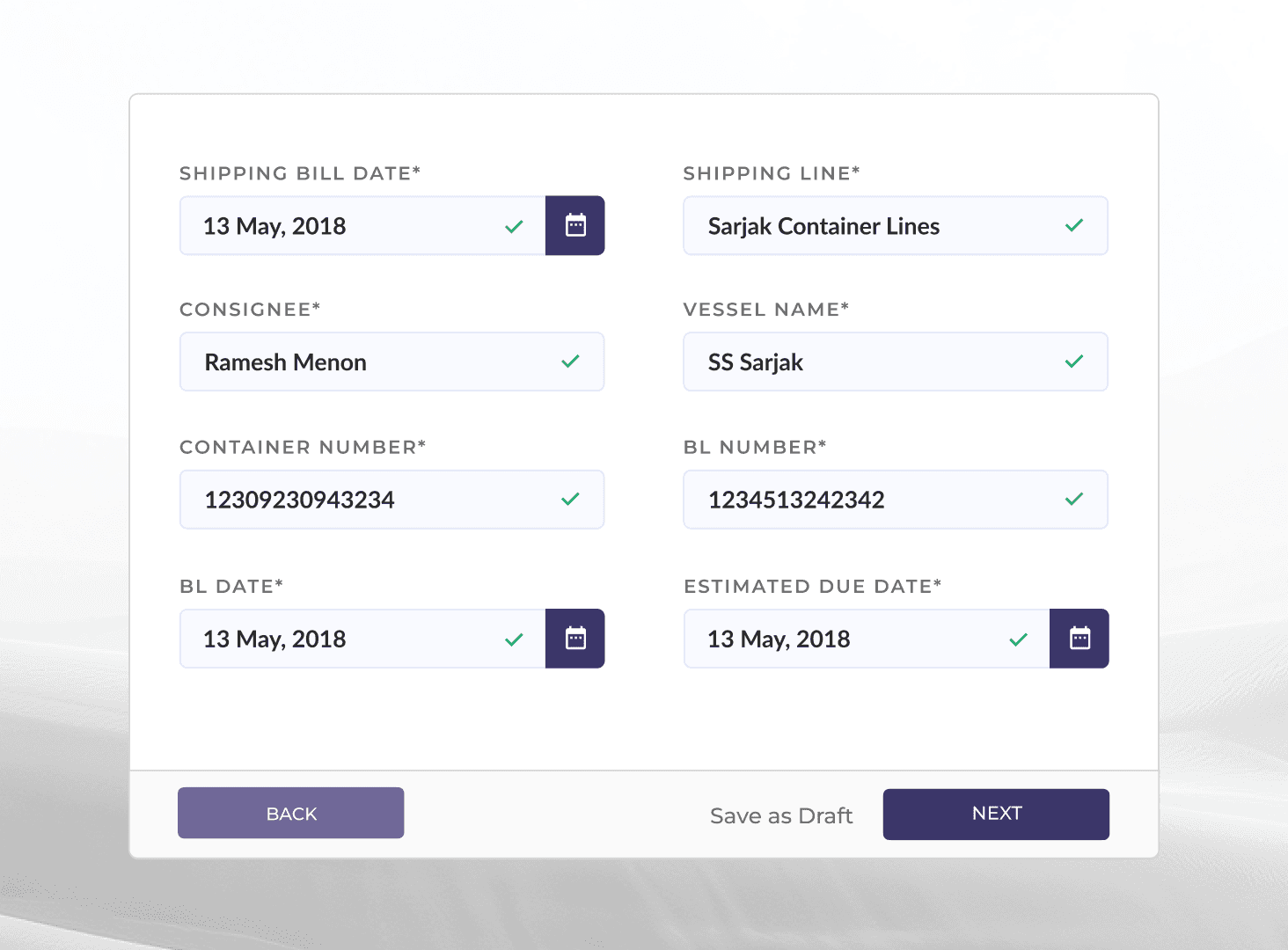
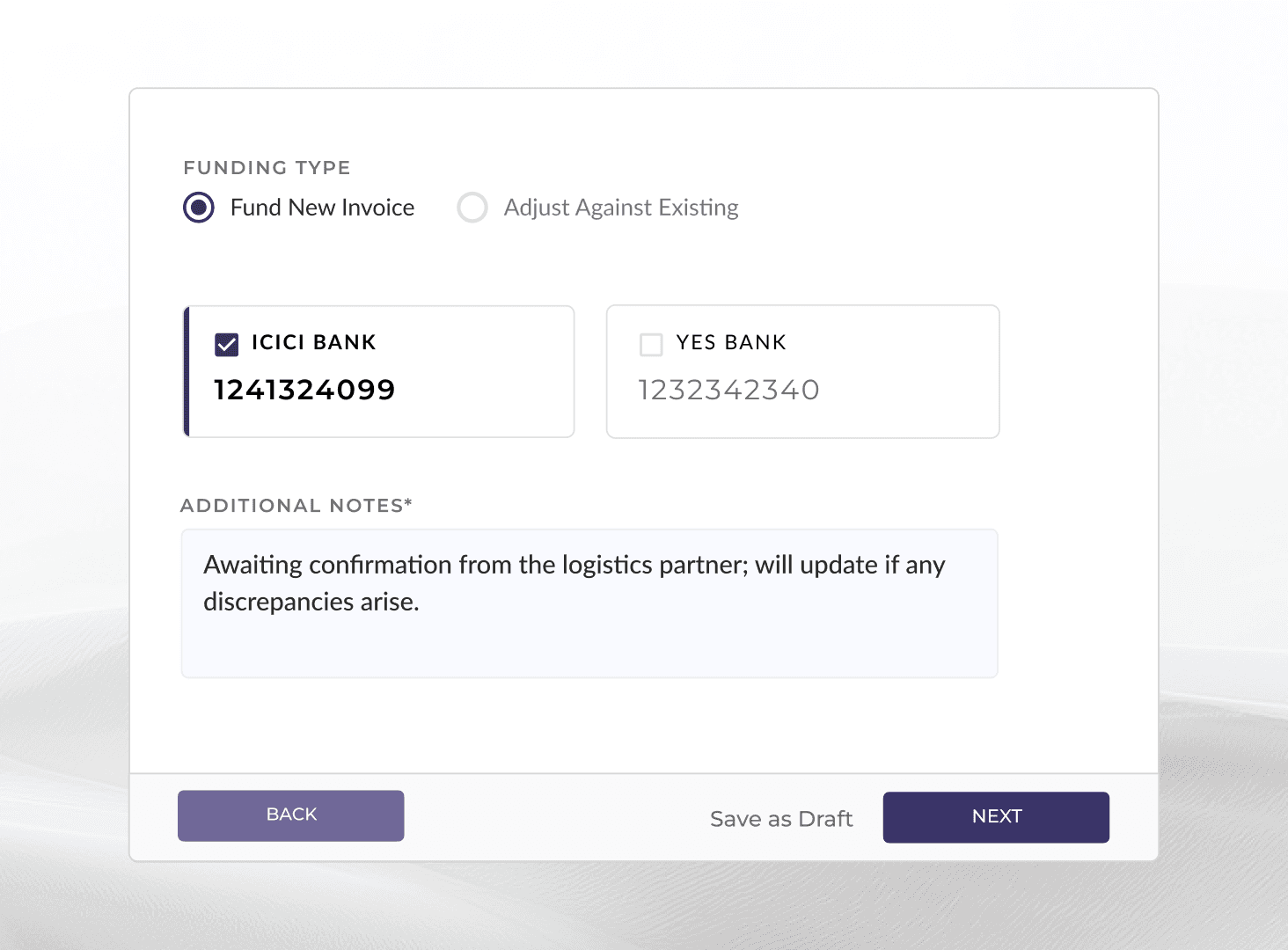
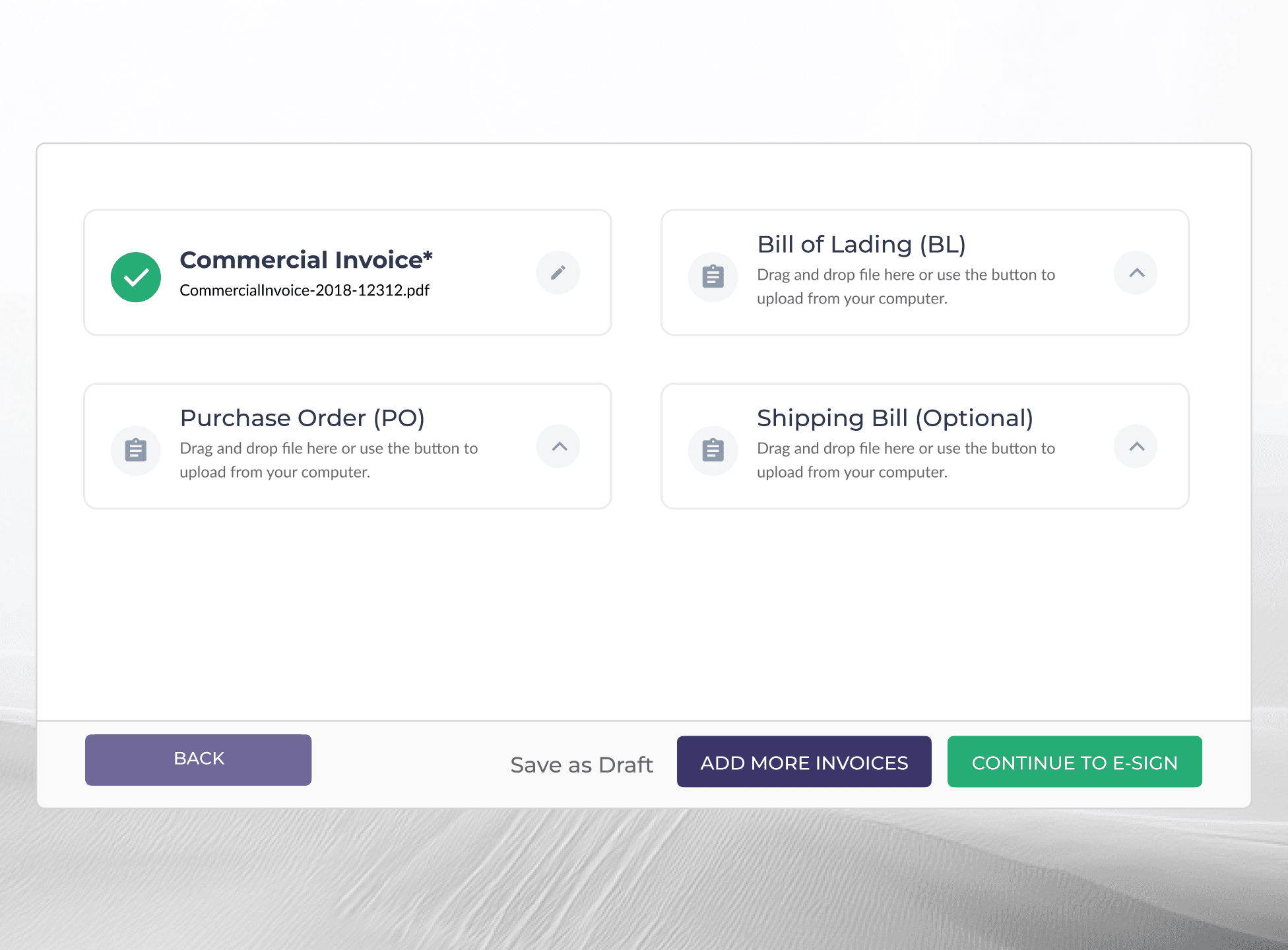
Building the 'Create Invoice' flow

Building the Create
Invoice Flow

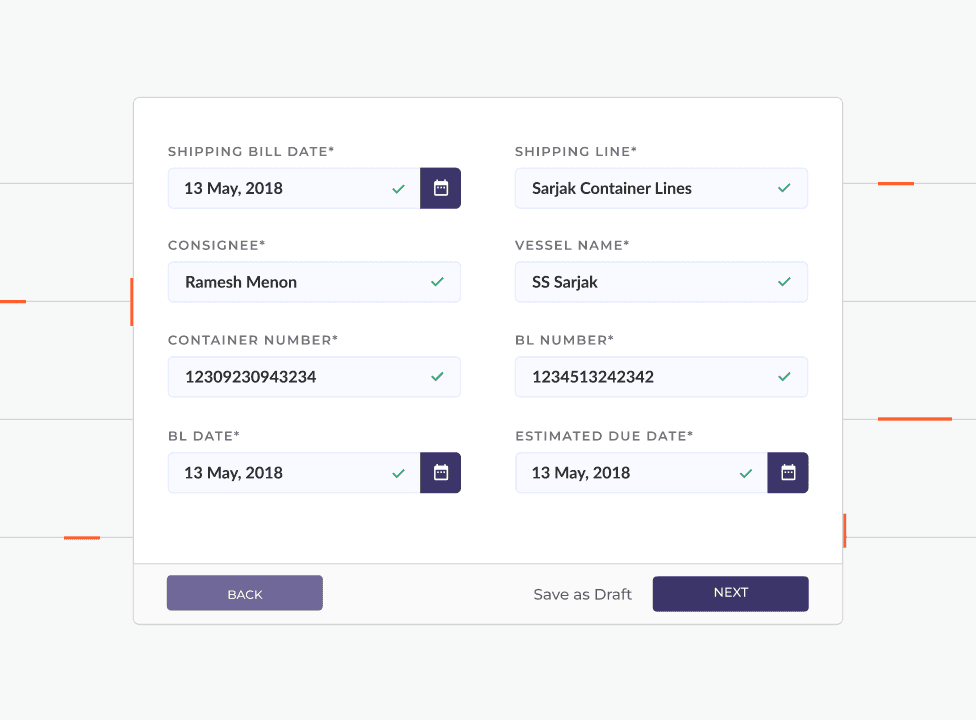
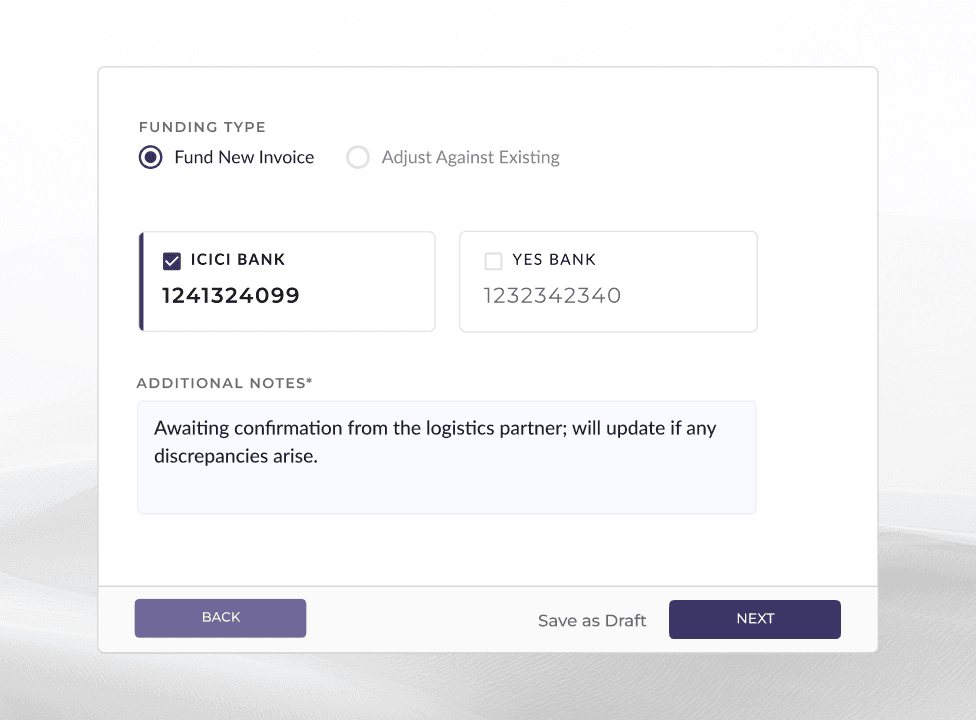
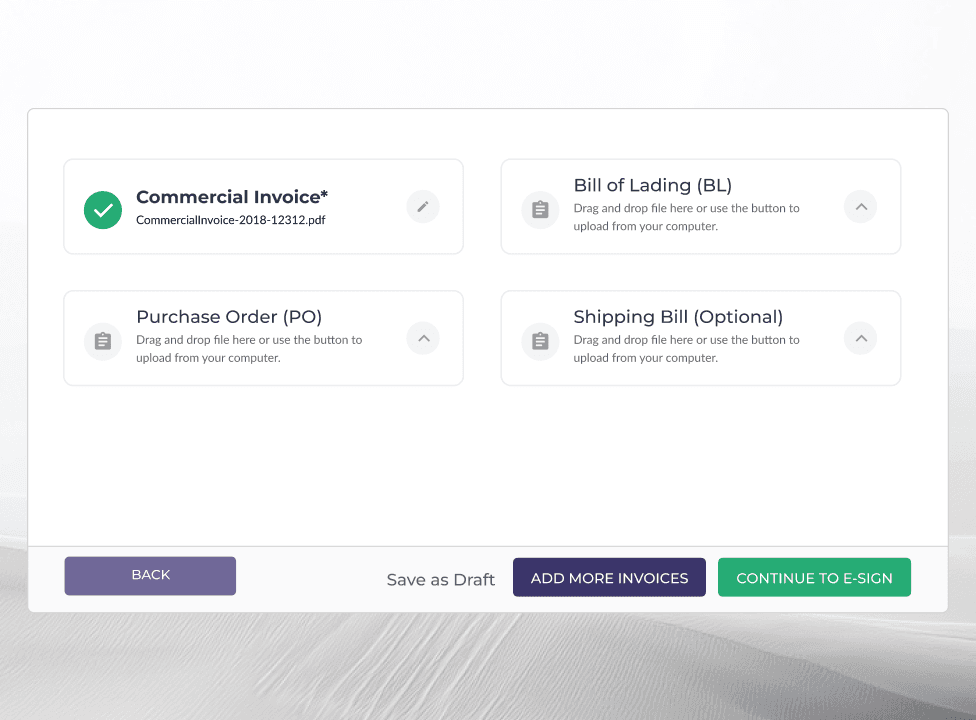
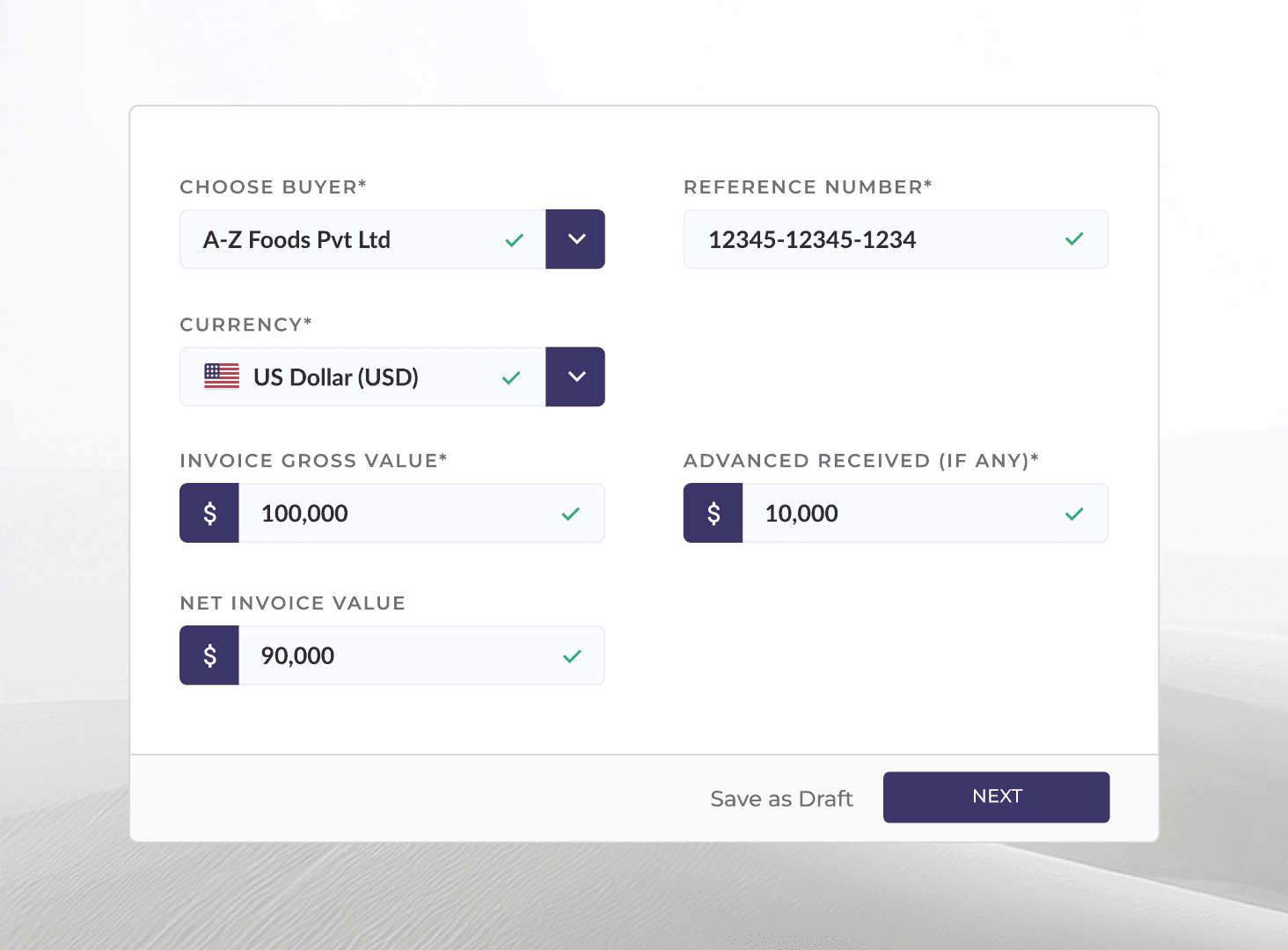
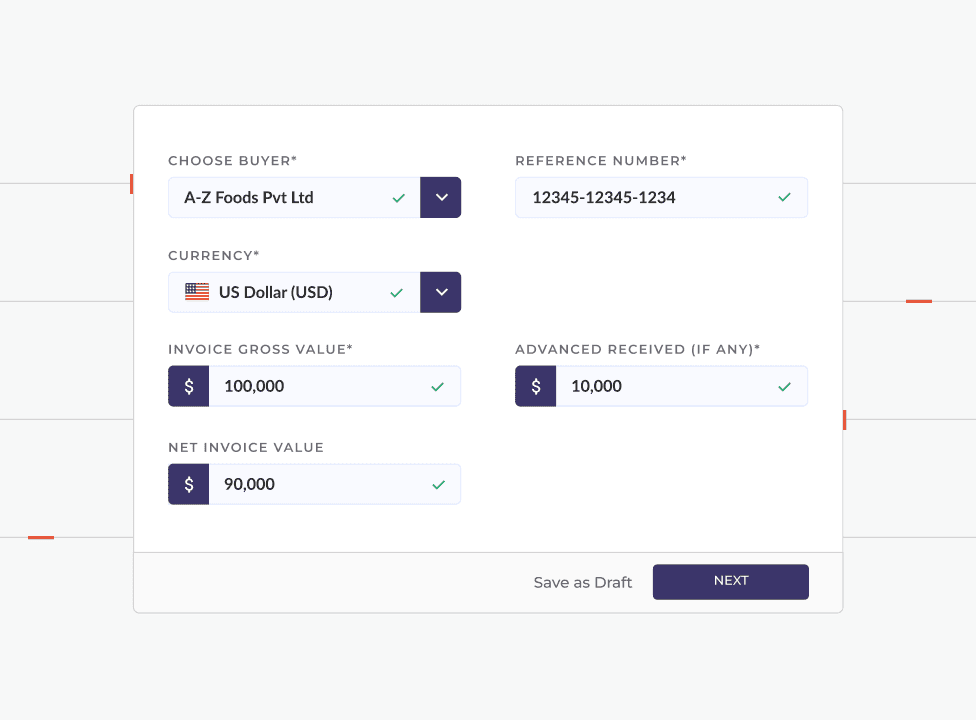
To make invoice creation clearer and easier to follow, the process was broken down into four simple steps. This structure introduced a familiar rhythm to the workflow, helping exporters complete submissions confidently and build a consistent habit of using the platform.

Invoice creation was streamlined into four clear, familiar steps to build user habit.
Submitted invoice details

Once an invoice is submitted, exporters can review all the information they’ve provided in a structured summary. Here, they can verify details and edit anything that might need correction.
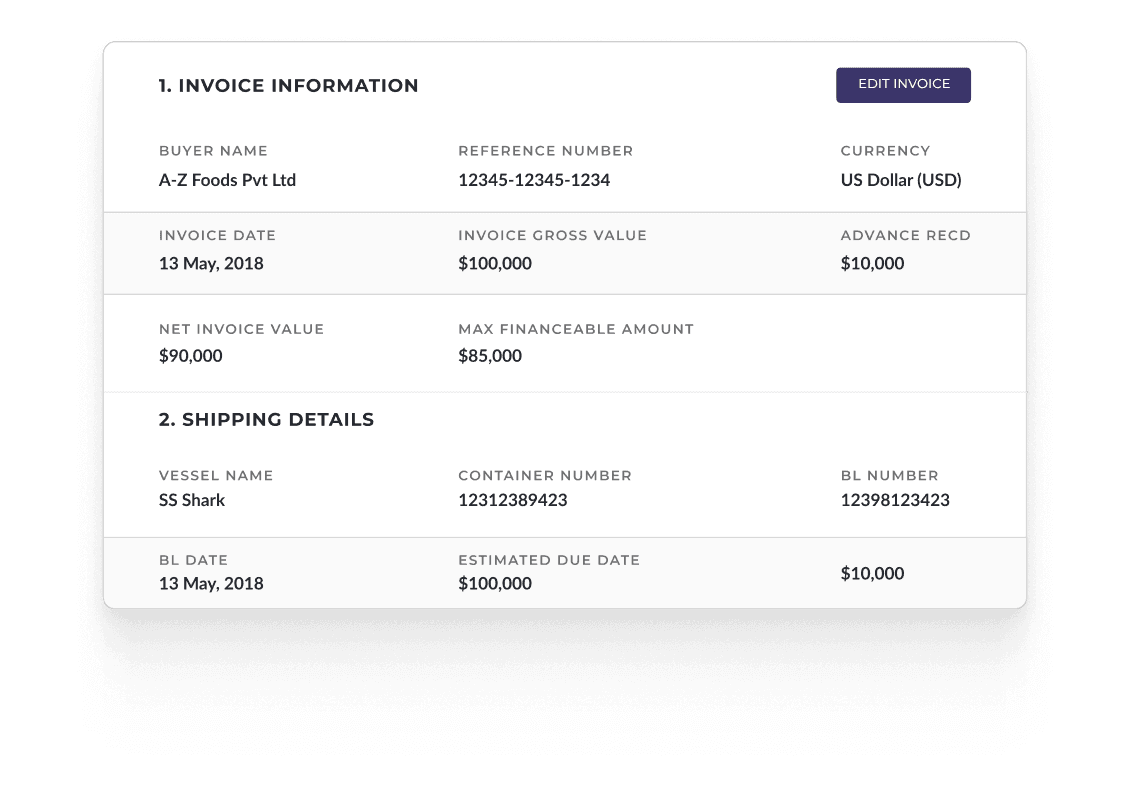
An invoice review summary card displaying invoice information such as buyer name, reference number, currency, and financial values, followed by shipping details including vessel name, container number, BL number, and estimated due date, with an "Edit Invoice" button.

Invoice detail modules

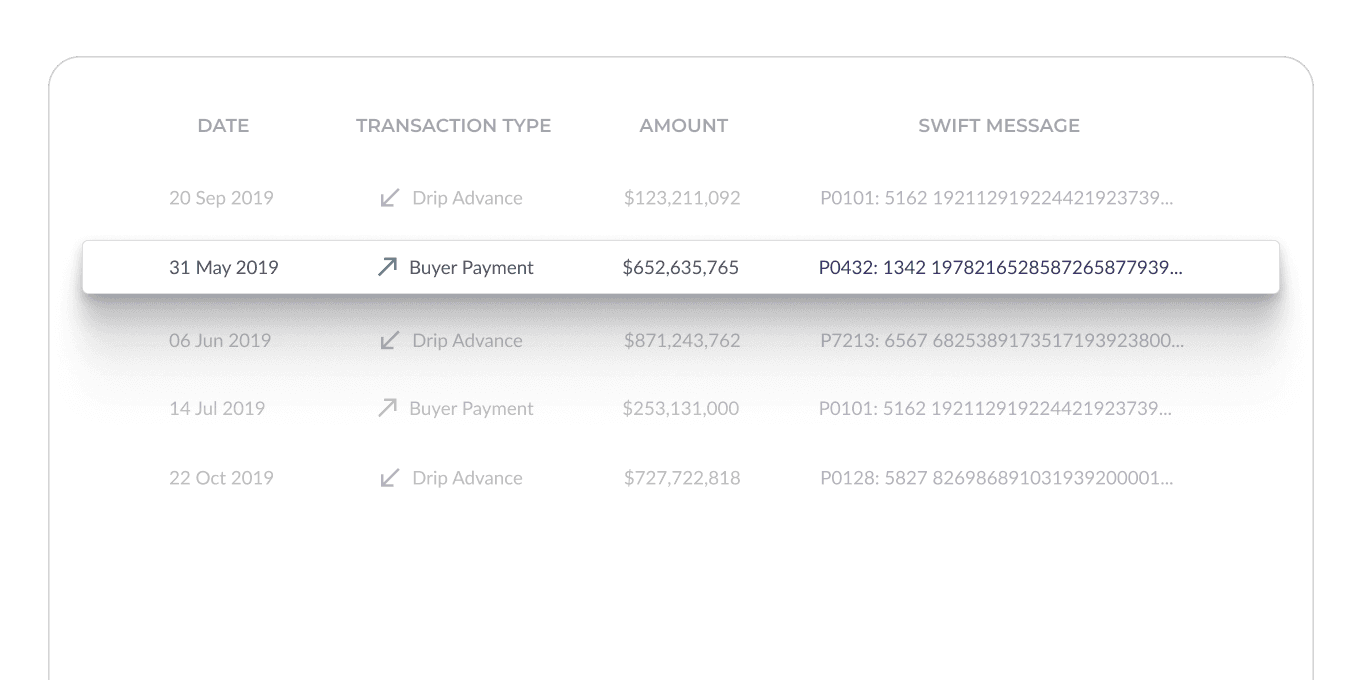
xxx

A transaction history table showing date, transaction type, amount, and SWIFT message columns, with a highlighted buyer payment row among drip advance and buyer payment entries.

Wire Transfers

xxx

person holding silver samsung android smartphone

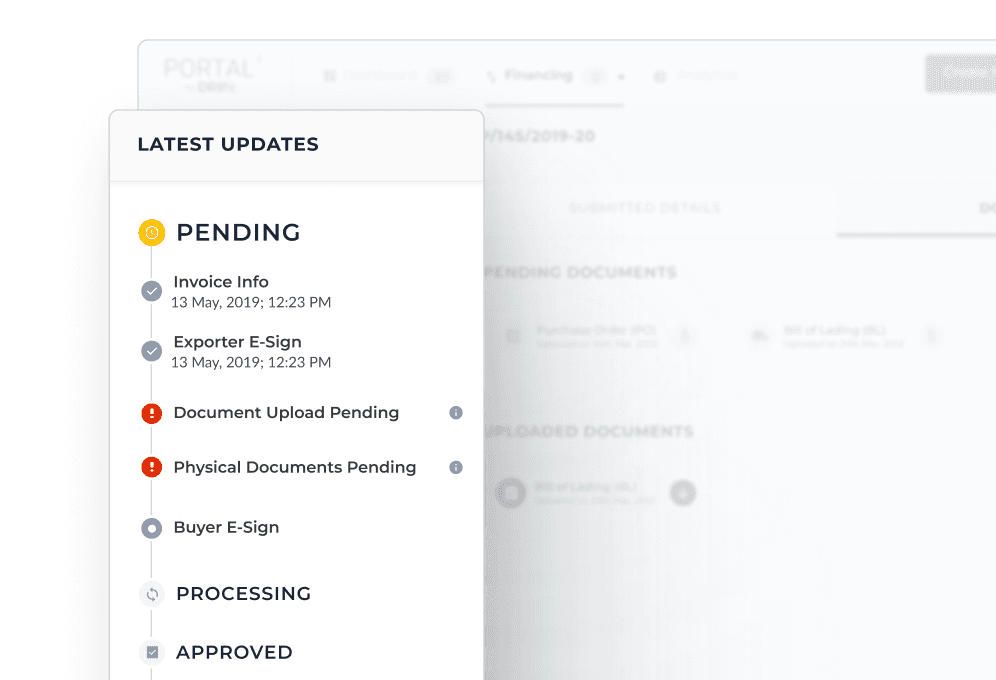
Invoice progress tracker

xxxx

A "Latest Updates" panel showing an invoice status timeline with pending, processing, and approved stages, including steps for invoice info, e-sign, document upload, and physical documents.

Juan

Superhost

710

Reviews

4.82

Rating

12

Years hosting
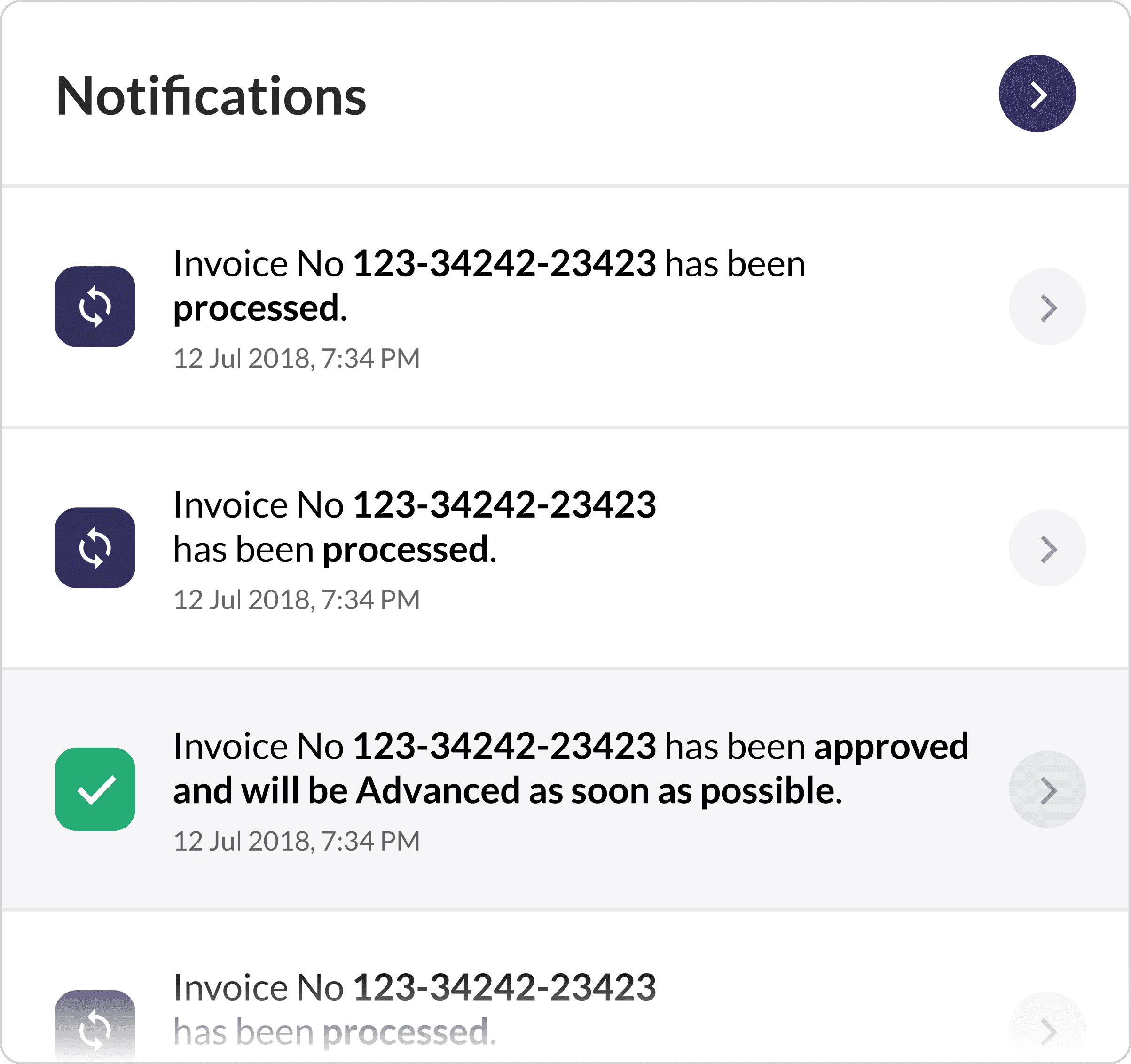
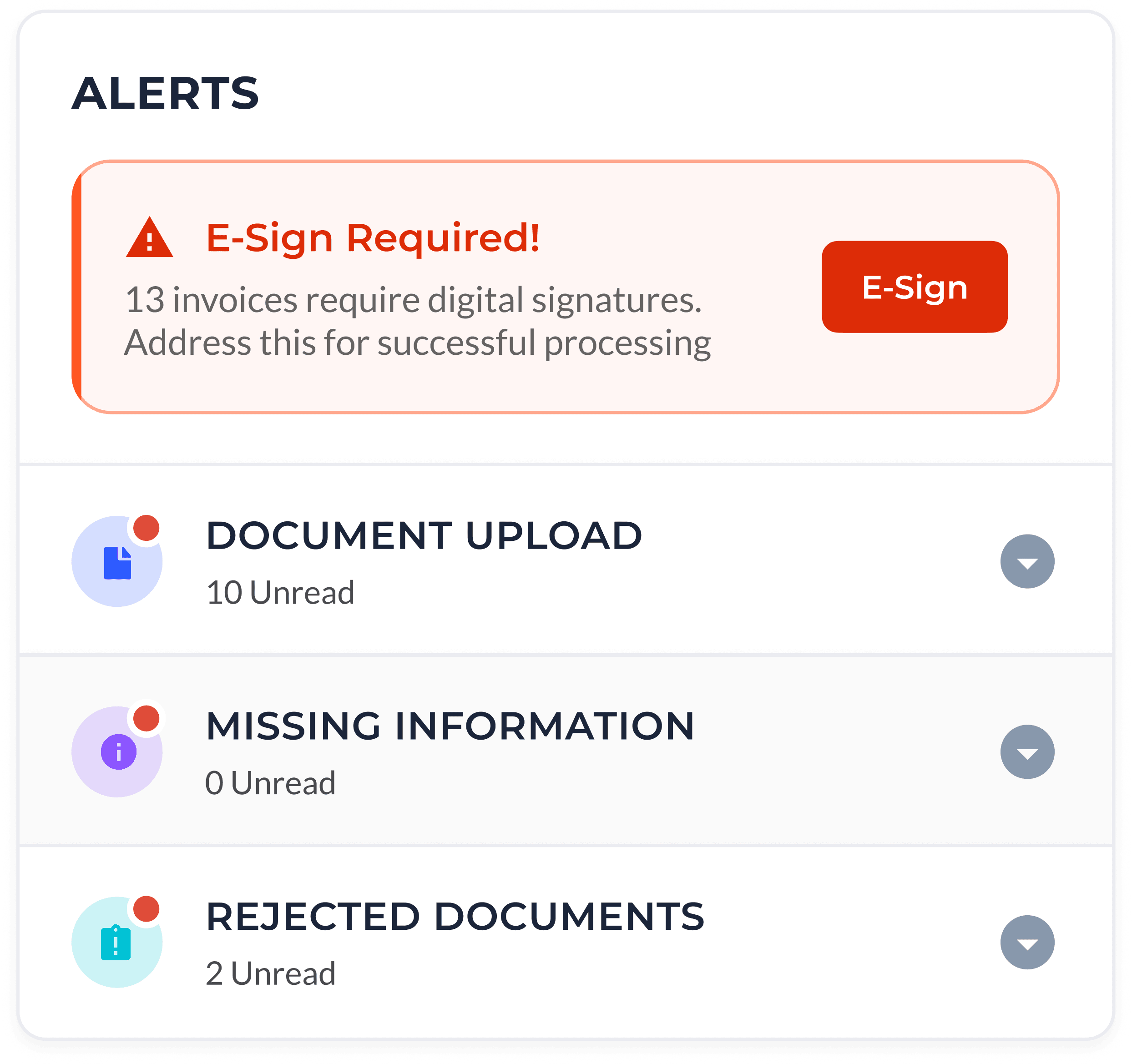
An alerts panel showing an e-sign required warning, along with document upload, missing information, and rejected documents notification items with unread counts.

Juan

Verified since April 2019

Trust is the cornerstone of Airbnb's community, and identity verfication is part of how we build it.

Click to view Notifications

ASYNCHRONOUS COMMUNICATION

Alerts organized by urgency

At any given time, a client could have multiple invoices moving through different stages of processing. Verification often required additional documents or clarifications between Drip and the exporter. To reduce manual follow-ups, the portal generated automated alerts (also shared through SMS and email) whenever an action was required, to facilitate a quick response.

This helped exporters spot bottlenecks and quickly submit the required information. Meanwhile, a separate notification module shared important updates that did not require any action.


Adding buyers and viewing their limits

Exporters typically work with a set of existing buyers, but they can also add new buyers directly through the portal. Each buyer is reviewed by Drip and assigned a financing limit, making it easy to track available credit against every buyer.
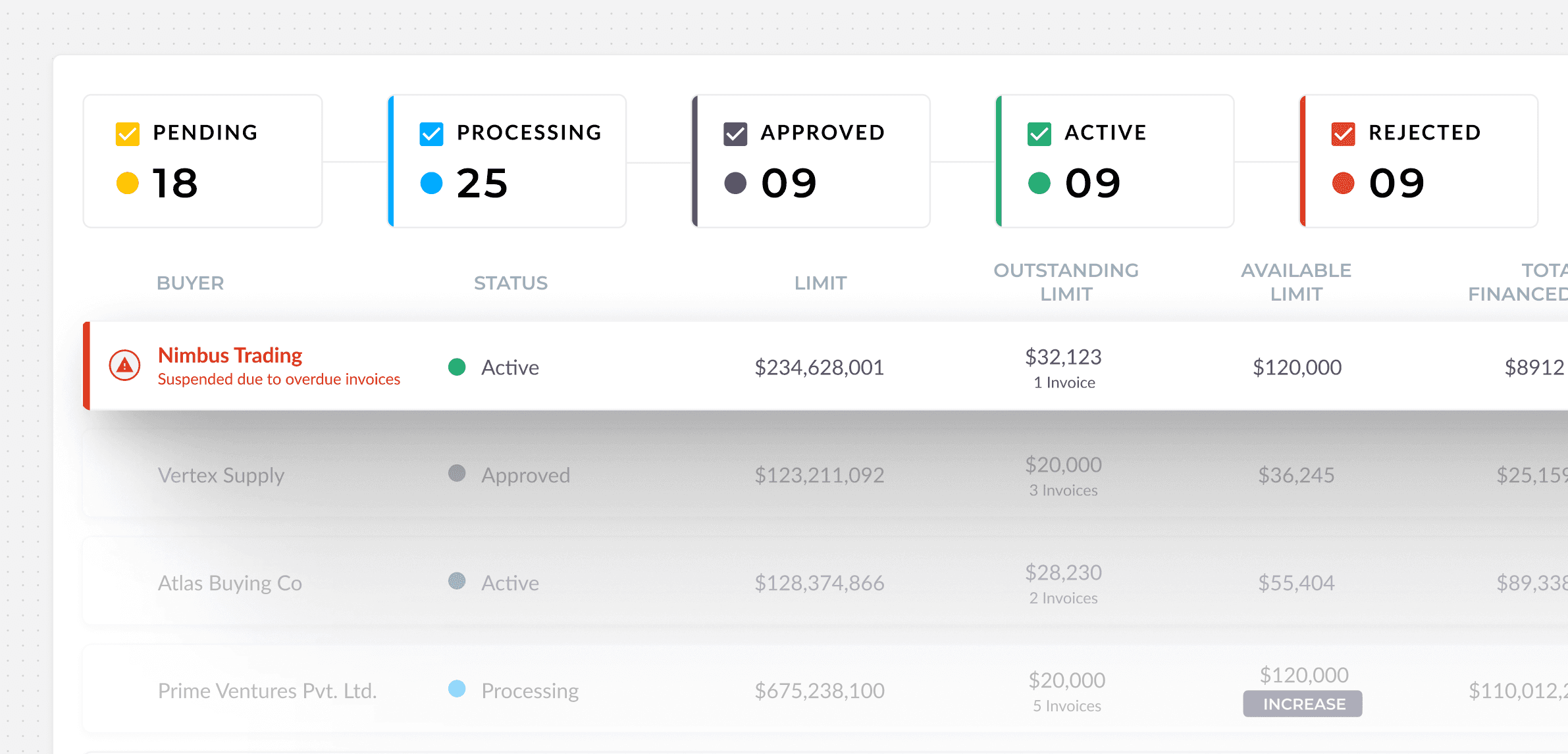
A buyer management dashboard showing status filter counts for pending, processing, approved, active, and rejected, with a table listing buyers, their statuses, credit limits, outstanding limits, and available limits.

Buyer Limits View

A buyer management dashboard showing status filter counts for pending, processing, approved, active, and rejected, with a table listing buyers, their statuses, credit limits, outstanding limits, and available limits.

Buyer Limits View

redesigning the analytics module

The Passbook: Transactions and Statements made easier to monitor

The Passbook forms a part of the analytics view of the portal. It essentially presents financial activity on the platform through two views: Transactions and Statements.

The Transactions view resembles a bank statement, where each row corresponds to a financial entry linked to invoices raised on the platform. The Statement view, on the other hand, reflects the broader movement of funds as different invoices move through the financing process.

Alerts remain visible in this view as planned earlier, so clients can stay aware of any actions required. The Passbook also includes filters such as currency, transaction type, and timeline, allowing exporters to narrow down the activity they want to examine.
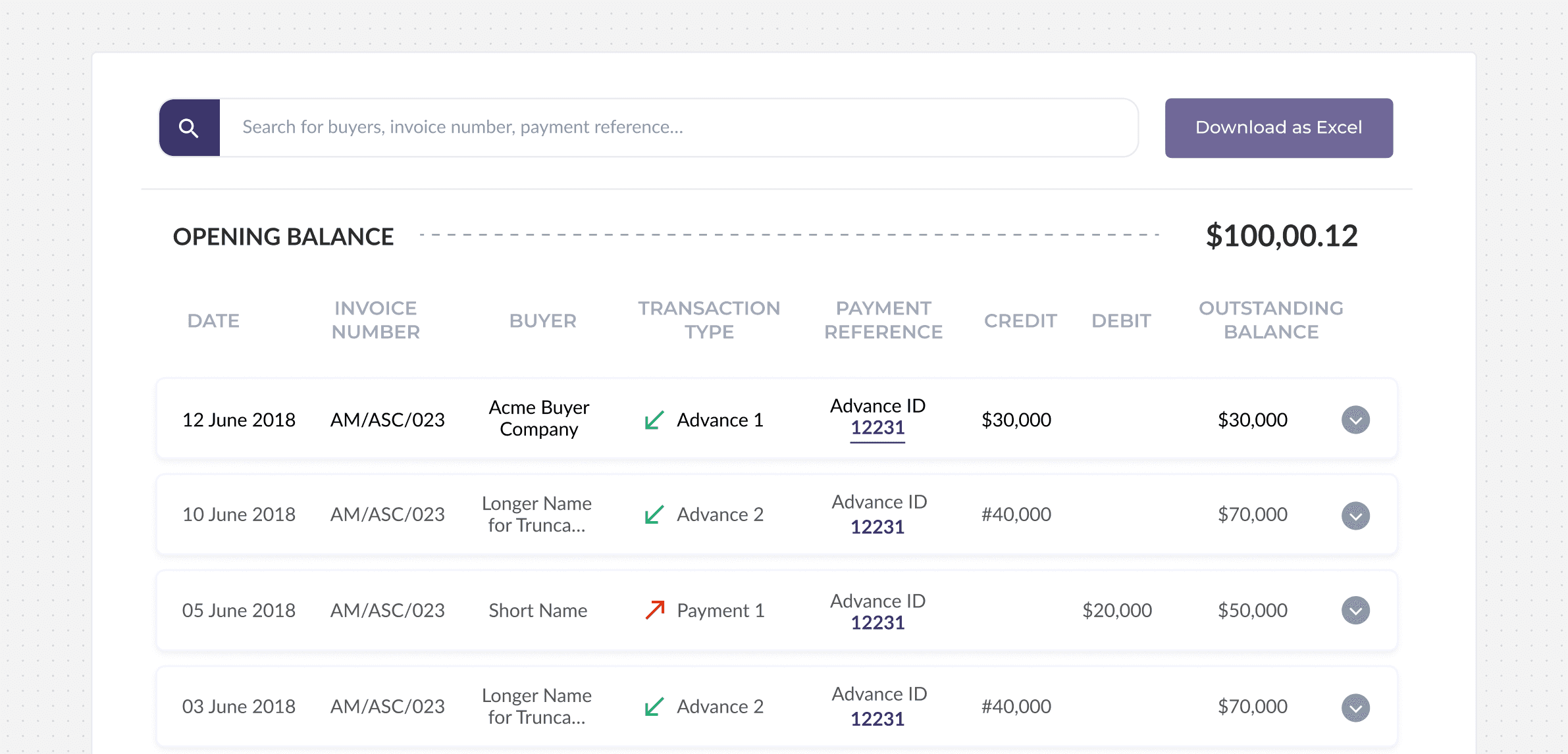
A ledger statement view with a search bar, opening balance, and a transaction table showing date, invoice number, buyer, transaction type, payment reference, credit, debit, and outstanding balance columns.

Statement view

A ledger statement view with a search bar, opening balance, and a transaction table showing date, invoice number, buyer, transaction type, payment reference, credit, debit, and outstanding balance columns.

Statement view

Impact and Reception

Proficient execution
and knowledge transfer.

Canvs rebuilt the platform, set up end-to-end design processes, and delivered a complete online project archive with all assets and documentation.

“Canvs helped us fill an important gap at the right time. They did a great job considering the limited context and remote setting. We had a great working relationship, good processes in place along with great response time and project management. It was a pleasure working with Canvs.”

A portrait for Rahul Sheth

Rahul Sheth

Product Manager, Drip Capital