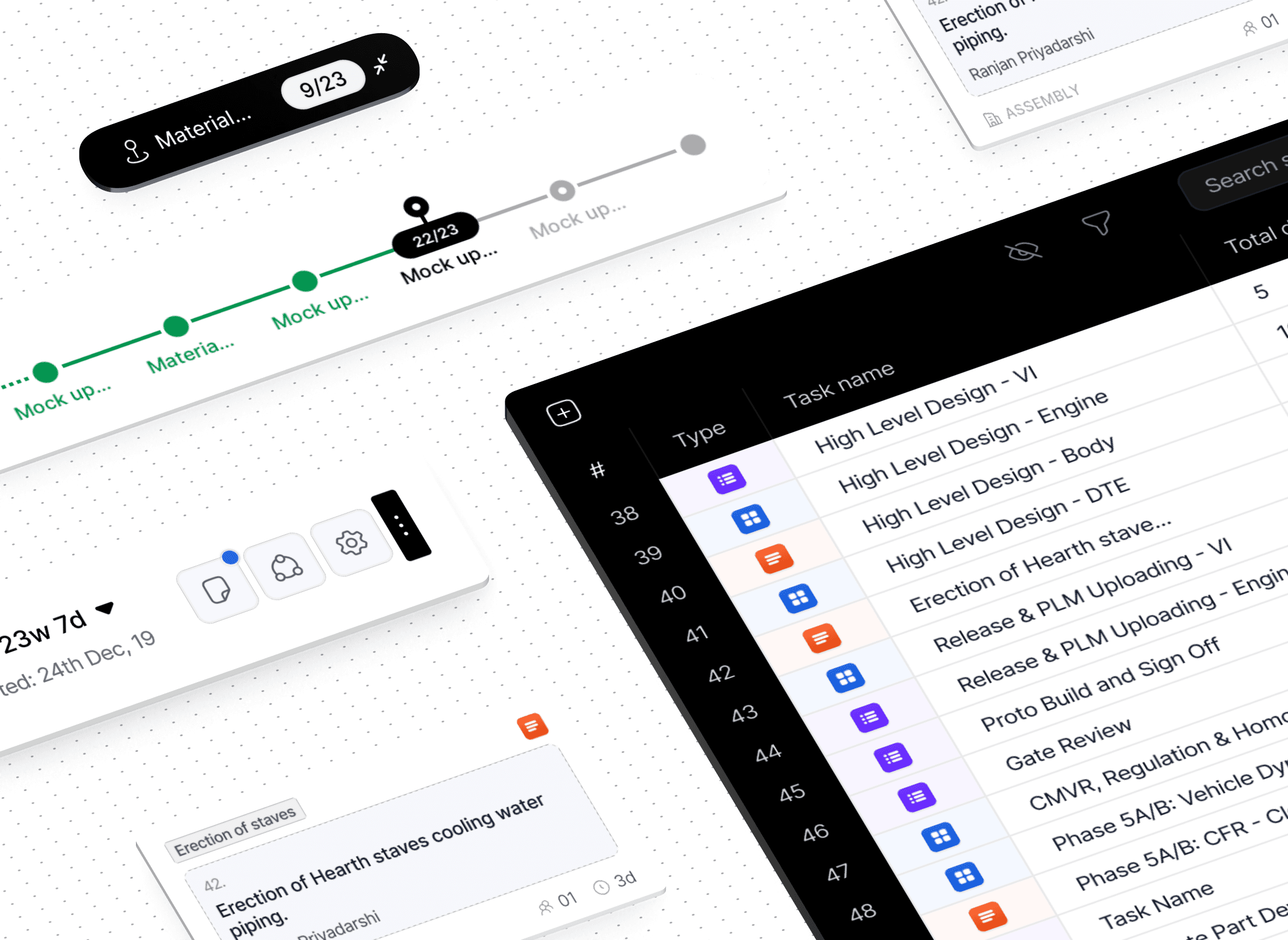
VECTOR CONSULTING

Designing
multi-year project planner with Vector Pro

Designing a multi-year

project planner with

Vector Pro

Vector is an Indian consulting giant specializing in large-scale manufacturing projects. They built Vector Pro to help teams plan and manage complex, multi-year operations. Canvs redesigned the platform end-to-end and added new features to elevate its capability and user experience.

Vector is an Indian consulting giant specializing in large-scale manufacturing projects. They built Vector Pro to help teams plan and manage complex, multi-year operations. Canvs redesigned the platform end-to-end and added new features to elevate its capability and user experience.

Vector is an Indian consulting giant specializing in large-scale manufacturing projects. They built Vector Pro to help teams plan and manage complex, multi-year operations. Canvs redesigned the platform end-to-end and added new features to elevate its capability and user experience.

BACKGROUND

Vector Consulting is a consulting giant from India. They provide management consulting services, helping their clients solve chronic problems in areas like supply chain, operations, sales, new product development, and customer management. 

The concept of a network of tasks representing a full project with an expandable timeline to support it. The network is made of tasks that branch out in time.

PROBLEM STATEMENT

The ask was for conceptualize and design interfaces for a completely new paradigm for the experience of planning projects, managing them, and simultaneously allowing clients to view and monitor their projects better.

The ask was for conceptualize and design interfaces for a completely new paradigm for the experience of planning projects, managing them, and simultaneously allowing clients to view and monitor their projects better.

The ask was for conceptualize and design interfaces for a completely new paradigm for the experience of planning projects, managing them, and simultaneously allowing clients to view and monitor their projects better.

INFINITY CANVS

Infinite canvas with a DAG and an expandable timeline.

Infinite canvas with a

DAG and an expandable timeline.

GRAPHICAL VIEW

The expanded network view transforms abstract project data into a tangible visual map. Users can zoom out to grasp the overall structure or dive into individual nodes to inspect task details.

The expanded network view transforms abstract project data into a tangible visual map. Users can zoom out to grasp the overall structure or dive into individual nodes to inspect task details.

The expanded network view transforms abstract project data into a tangible visual map. Users can zoom out to grasp the overall structure or dive into individual nodes to inspect task details.

EXPANDED TASK NETWORK

As project structures grew more intricate, users needed a way to see beyond linear task lists. The task network helps users explore connections between tasks, identify Critical Chain tasks, and understand the cascading impact of each decision within the workflow — all within a single, infinite canvas.

NETWORK VIEW

Tasks are linked to
form dependency chains.

Tasks are linked to form dependency chains.

All tasks were connected to their successors and predecessors forming dependency chains and resultingly the critical chain that stayed highlighted while viewing the network.

GRAPH VIEW

Using the graph view.

MULTI YEAR PROJECTS

Multi year projects spanning hundreds of people and dozens of teams become increasingly complex to observe.

INCREASING COMPLEXITY

Hence a tactical abstraction of information was a key motivator behind the interface. Depending on the zoom you had on the network, you’d see tasks at different level of detail.

DATA MADE ACCESSIBLE

Information at your fingertips
while navigating the graph.
Information at your fingertips
while navigating the graph.

[01]

On hover - task details

Hover-based interactions were introduced to reduce visual noise and information overwhelm on complex networks. All necessary task details could be viewed on hovering over a task

[02]

Traversal & navigation

In large networks, orientation, context and flow are key. We introduced patterns like gizmos, action bars, quick access menus, side bars to enable product exploration without losing their point of reference.

[03]

Action bar & gizmos

The action bar and gizmos were created to make complex interactions feel effortless. By surfacing only context-specific controls, users can focus on the task at hand with better clarity.

The action bar and gizmos were created to make complex interactions feel effortless. By surfacing only context-specific controls, users can focus on the task at hand with better clarity.

[04]

On click - full task views

To balance overview and detail, we designed an interaction where clicking a task opens the complete task view in place. Users can review dependencies without navigating away from the network, preserving continuity and focus.

STATUS MONITOR

To monitor the overall health of the project we designed a heads up display that projected multiple critical highlights of the project in one interactive display unit.

To monitor the overall health of the project we designed a heads up display that projected multiple critical highlights of the project in one interactive display unit.

DBDBDB

TIME COMPLEXITY SIMPLIFIED

Balancing short and long task by overcoming
timescale challenges in task networks.
Balancing short and long task by overcoming timescale challenges in task networks.

Balancing short and long task by

overcoming timescale challenges in task networks.

PROBLEM FACING

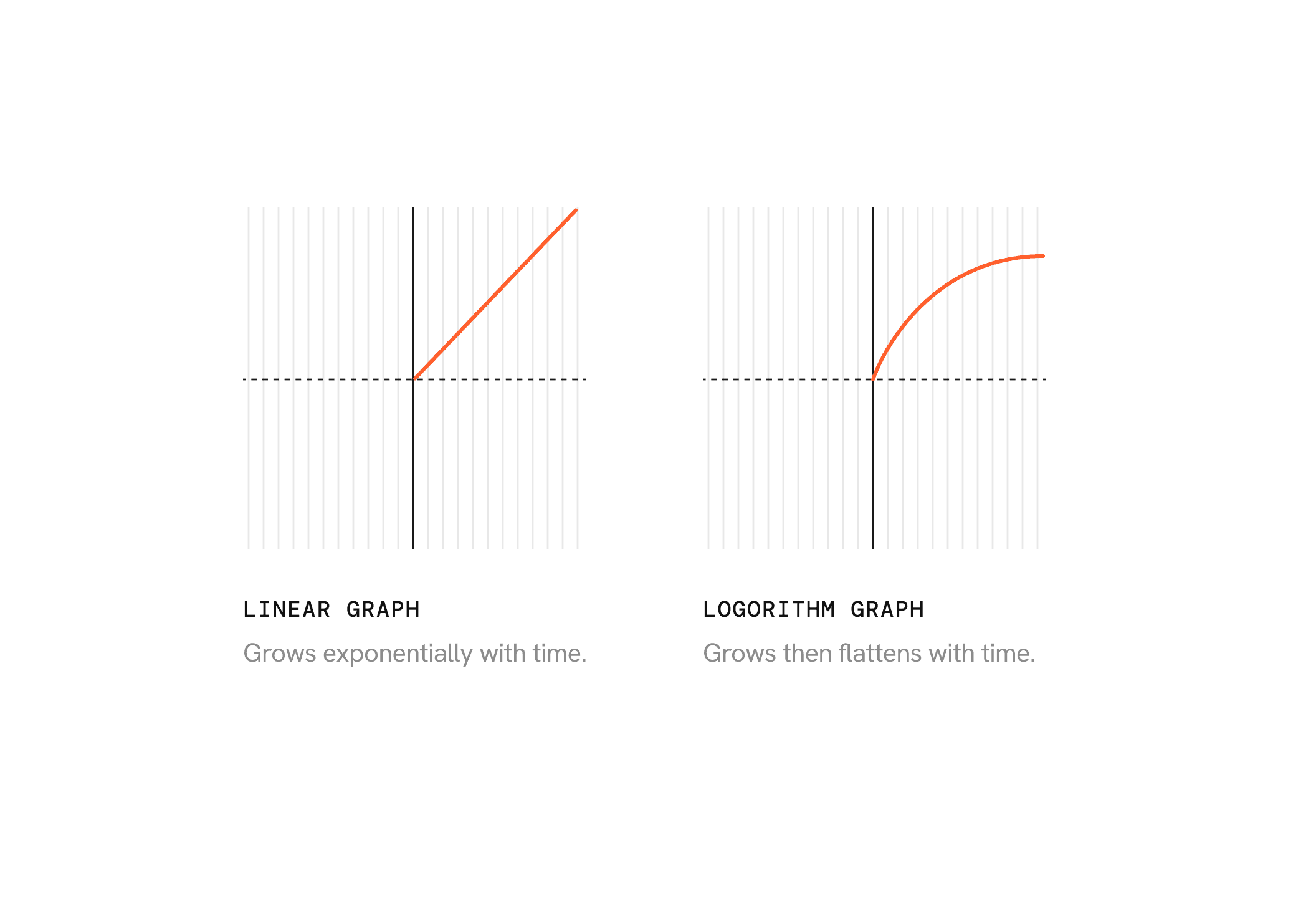
A major challenge in our zoom based interactivity, as longer tasks would make it extremely difficult to move through the network if you wanter shorter tasks to be visible on a common timescale.

AVG. TASK DURATION

Min ----- a few days ( 3 - 4d )
Max ----- a few quaters ( 40q /10y )
PROBLEM FACING

A major challenge in our zoom based interactivity, as longer tasks would make it extremely difficult to move through the network if you wanter shorter tasks to be visible on a common timescale.

AVG. TASK DURATION

Min ----- a few days ( 3 - 4d )
Max ----- a few quaters ( 40q /10y )

PROBLEM FACING

A major challenge in our zoom based interactivity, as longer tasks would make it extremely difficult to move through the network if you wanter shorter tasks to be visible on a common timescale.

AVG. TASK DURATION

Min ----- a few days ( 3 - 4d )
Max ----- a few quaters ( 40q /10y )

SOLUTION

We solved this by simply switching to a Normalized Log Scale, constrained by min max values for the task length on the network.

We solved this by simply switching to a Normalized Log Scale, constrained by min max values for the task length on the network.

SOLUTION

We solved this by simply switching to a Normalized Log Scale, constrained by min max values for the task length on the network.

BEYOND THE GRAPH

Naturally, to solve this Vector wanted the spreadsheet exercise to be moved over to the product so they could quickly refresh the network. This was however not going to solve the problem of observing projection deltas as the inputs changed.

Naturally, to solve this Vector wanted the spreadsheet exercise to be moved over to the product so they could quickly refresh the network. This was however not going to solve the problem of observing projection deltas as the inputs changed.

DATA + NETWORK

Designing
split view projects
Designing split view projects

PROBLEM FACING

Project planning took weeks, requiring Excel sheets in a fixed template that were then visualised as identical tasks in Vector’s software. Any correction meant re-uploading and rebuilding the entire network from scratch.

SOLUTION

We designed a split build + graph view. Consultants could build the task network on one side while viewing it update in real time on the other, with changes instantly reflected in critical chain links, projections, improvements, and potential risks.

PROBLEM FACING

Project planning took weeks, requiring Excel sheets in a fixed template that were then visualised as identical tasks in Vector’s software. Any correction meant re-uploading and rebuilding the entire network from scratch.

SOLUTION

We designed a split build + graph view. Consultants could build the task network on one side while viewing it update in real time on the other, with changes instantly reflected in critical chain links, projections, improvements, and potential risks.

PROBLEM FACING

Project planning took weeks, requiring Excel sheets in a fixed template that were then visualised as identical tasks in Vector’s software. Any correction meant re-uploading and rebuilding the entire network from scratch.

SOLUTION

We designed a split build + graph view. Consultants could build the task network on one side while viewing it update in real time on the other, with changes instantly reflected in critical chain links, projections, improvements, and potential risks.